OpenClaw (formerly Clawdbot): The Local AI Agent Tested
The WhatsApp hack Clawdbot is now OpenClaw, with over 385,000 stars on GitHub. What the local AI agent can do and where shell access turns risky.
· 6 min
Clawdbot is history. What started a good six months ago as a simple WhatsApp bot has officially been called OpenClaw since January 30, 2026, and has collected over 385,000 stars on its GitHub repository as of August 4, 2026. The weekend hack has turned into a serious architecture for autonomous AI agents. In this guide I look at whether the code lives up to the hype, and where the security holes are that people talk about far too rarely.
What is OpenClaw and how is it different from a chatbot?
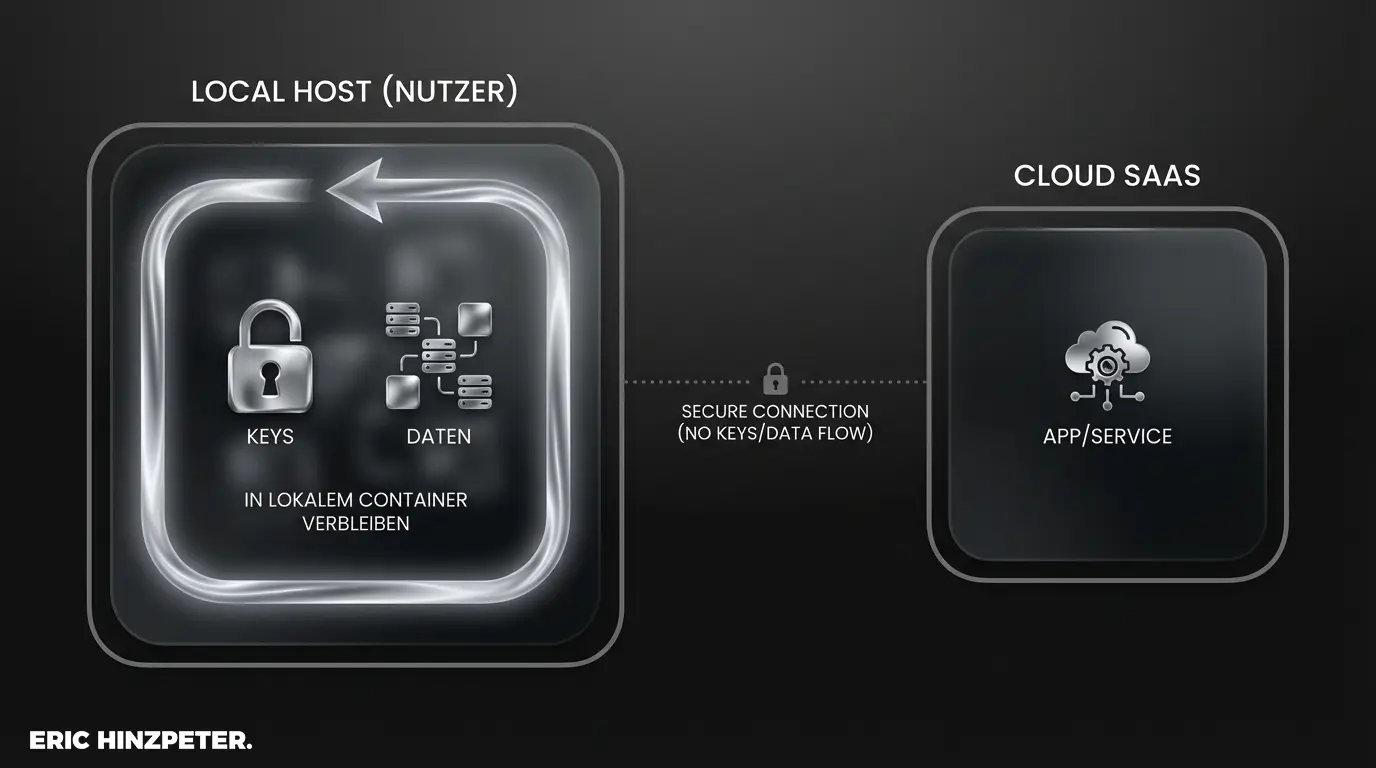
OpenClaw calls itself an open agent platform for your own hardware, and the developers' motto sums it up: "Your assistant. Your machine. Your rules." It's the counter-design to the polished SaaS products where your data sits on someone else's servers.
A classic chatbot waits for your input and replies. OpenClaw runs in what's called an agentic loop instead: it doesn't just wait, it actively carries out tasks in your infrastructure, whether that's your laptop, your homelab or a VPS. Your hardware, your API keys, your data.
If you want to understand the technical difference between a little helper and an autonomous system in more detail, read my article on the difference between an AI assistant and an AI agent.
From WhatsApp hack to OpenClaw: the story behind the name
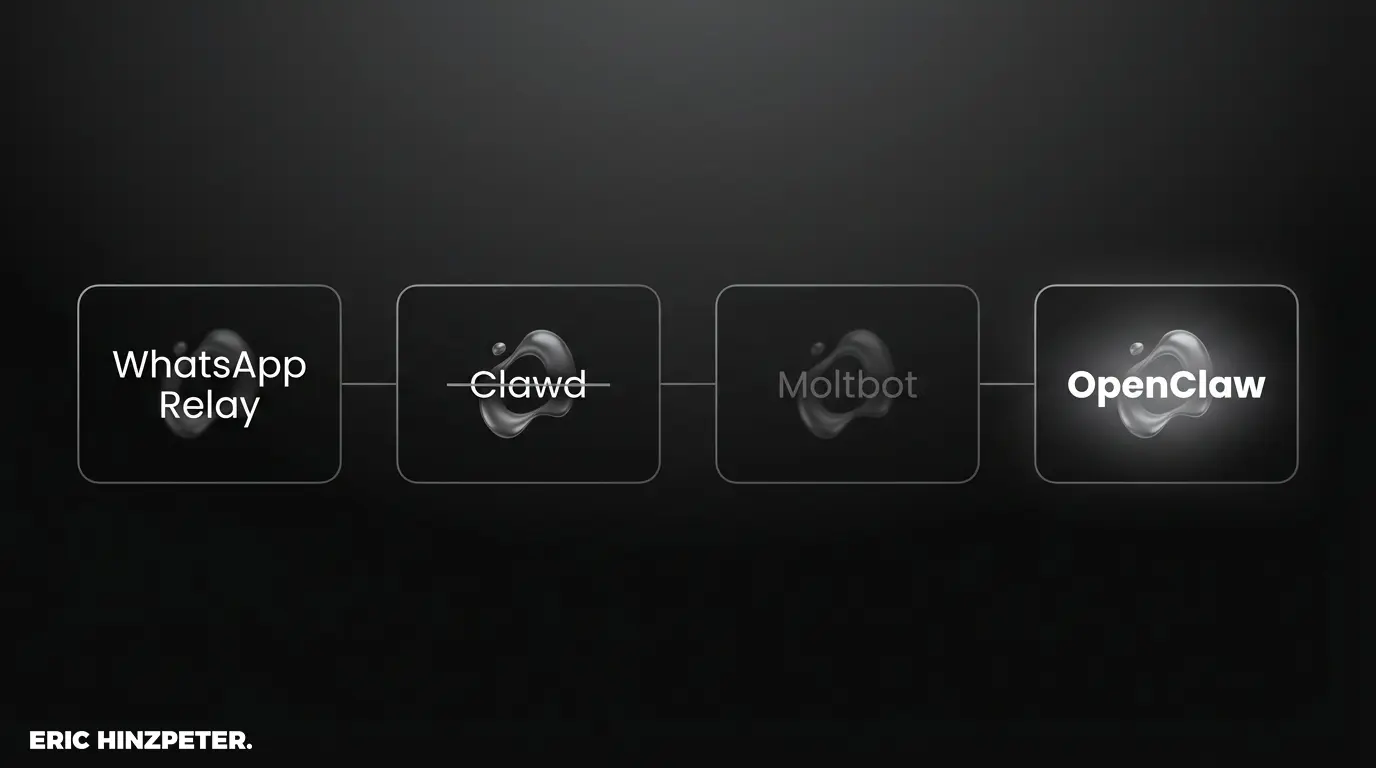
The naming story is worth telling, because it shows how chaotic a project like this can get as it grows. It started out as a simple WhatsApp relay under the internal name Warelay, built by the Austrian developer Peter Steinberger.
In November 2025 it became Clawd, a pun on "Claude" with a claw, running under the name Clawdbot. Felt clever, until Anthropic's legal team politely knocked in January 2026 about the trademark. A late-night Discord session on January 27 then produced the stopgap name Moltbot: "molting" as a symbol for the project growing. The name never really rolled off anyone's tongue.
Three days later, on January 30, 2026, came the final migration to OpenClaw, this time with proper trademark research and purchased domains. Within a few hours the GitHub repository, the npm packages and the documentation all switched names. The new name carries two meanings at once: Open for open source, Claw as a nod to the mascot's lobster origins. The meme has since turned into its own non-profit, the OpenClaw Foundation, which now backs the project.
Features at a glance: messengers, calendar and shell commands
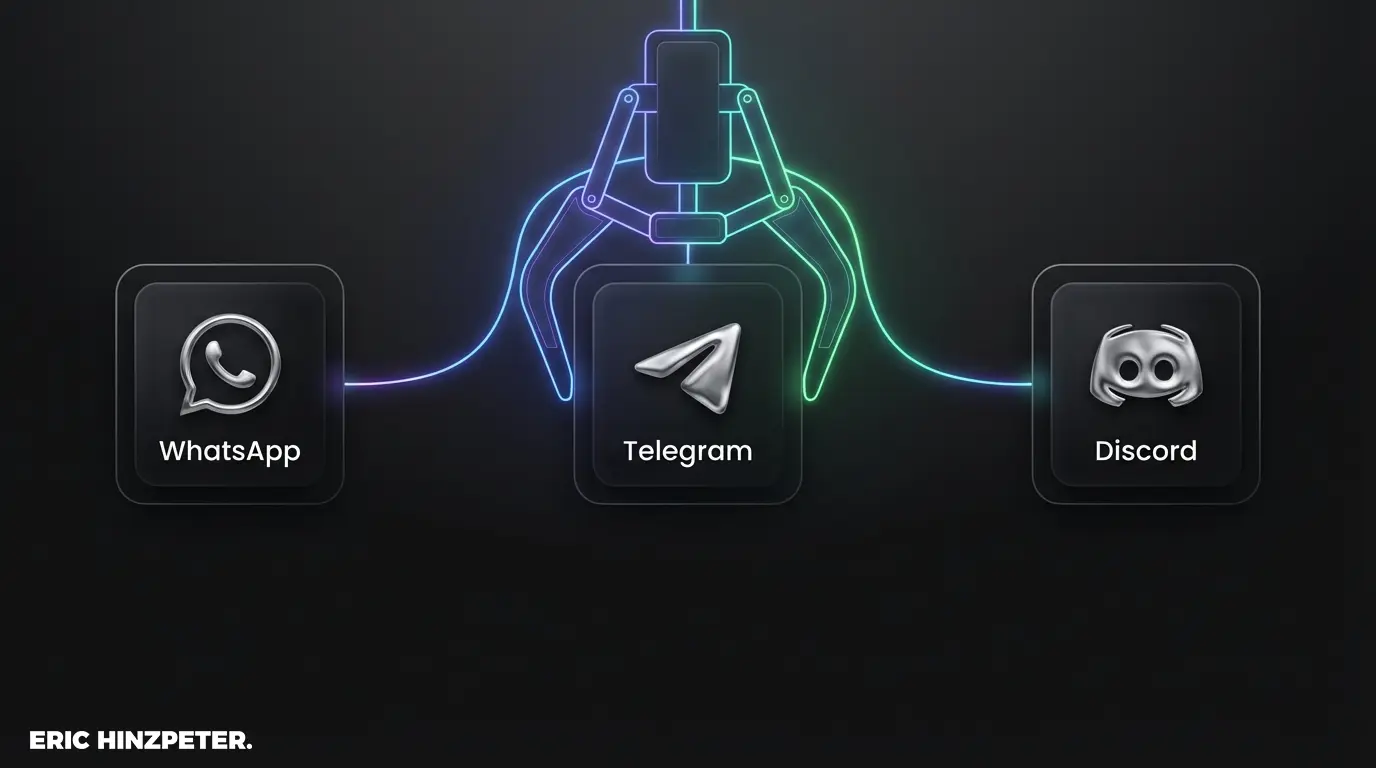
OpenClaw has long outgrown the WhatsApp relay and follows you to wherever your work happens. Through a single gateway instance you can now reach the agent on WhatsApp, Telegram, Discord, Slack, Microsoft Teams, Google Chat, Signal and iMessage. If you stream, you can even add a plugin for Twitch.
Under the hood, OpenClaw supports a wide range of models: the classic providers like OpenAI, Anthropic and Google Gemini, plus local models through Ollama and a growing number of other providers such as Moonshot (Kimi), Xiaomi and DeepSeek. The goal is not to depend on any single provider.
In practice that means you write "Block two hours for deep work tomorrow morning", and OpenClaw does it through the calendar API, without you touching an interface. That's automation through agentic AI in its most direct form. And now and then it's worth taking a closer look at what a tool like this is actually doing while you wait: with Claude Code, it's 186 random spinner verbs that tell you nothing about the status.
Installation and setup: how to run OpenClaw locally
Because OpenClaw is built local-first all the way through, you're the admin, and root access comes with responsibility. You install it from the official GitHub repository, and thanks to an install script and a TypeScript CLI it's more accessible than it used to be. It still takes discipline.
Pro tip: Docker or a VPS, not your main machine. Never install OpenClaw bare metal on your main machine if you allow shell access. Always use a Docker container or a dedicated VPS. That isolation is your life insurance, and there's more on it in the security section below.
Connecting messengers: WhatsApp, Telegram and the rest
OpenClaw's real strength is that the AI isn't trapped in a browser tab. It sits in your contact list. WhatsApp and Telegram are only the remote control, and the compute happens on your own server.
If your server is offline, the bot goes quiet. That's the price of independence you pay when you don't want "set and forget" in the cloud. For simple automations without your own server, have a look at my comparison of n8n and Make instead.
Security: how dangerous is autonomous access, really?
This is where I have to be blunt. An AI agent with shell access is like an intern with a master key: potentially catastrophic if nobody's watching.
I went through OpenClaw's current security documentation and the sandboxing docs, and the developers don't kid themselves: sandboxing is off by default. Without extra configuration, tool execution runs directly on your host, and only once you actively turn it on does it move into a Docker, Podman or SSH container. The docs say outright that prompt injection is not solved by system prompt guardrails alone. Hard enforcement only works through tool policies, execution approvals, sandboxing and channel allowlists, and even those you can switch off again as the operator.
This isn't only about public chats. Any content the agent reads, whether a web search, an email, a document or pasted code, can contain hostile instructions. That's why the developers themselves recommend treating incoming messages as untrusted by default and running openclaw security audit after every configuration change.
What that means for you: don't blindly trust any autonomous AI with access to sensitive email or root rights. Stick to the Docker or VPS advice from above if you allow shell access, and watch the logs. How to draw these boundaries in general is something I explain in my article on context engineering.
The community and where OpenClaw is heading
The heart of OpenClaw is the "Claw Crew": every contributor who has shipped code or reported an issue is part of the project. The "Space Lobster" has become the community meme along the way, a project that molts and grows, now backed by the non-profit OpenClaw Foundation instead of a single person.
The tool has long outgrown what one team can maintain alone. The project is still looking for more maintainers and sponsors to handle the flood of pull requests. The focus these days is less on new features and more on stability in day-to-day operation.
My advice is the same as after my first test: install OpenClaw in an isolated environment, try it out with your own workflows, but keep an eye on the logs. The AI doesn't replace your own judgment, however convenient that would be for planning.
FAQ
- Why is OpenClaw no longer called Clawdbot?
- Anthropic's legal team got in touch in January 2026 about the name Clawd, a pun on Claude. A late-night Discord session first produced the stopgap name Moltbot, and on January 30, 2026 came the final name OpenClaw, with proper trademark research and purchased domains.
- Is OpenClaw safe to run?
- Only with isolation. Sandboxing is off by default, and the developers themselves write that prompt injection isn't solved by system prompts alone. If you allow shell access, never install OpenClaw directly on your main machine. Use a Docker container or a dedicated VPS instead.
- Does OpenClaw need a cloud connection?
- No, that's the whole point of the project: the compute runs on your own server, either with local models through Ollama or with providers like OpenAI, Anthropic or Google. If your server is offline, the bot goes quiet. That's the price of independence.

Eric Hinzpeter
Eric Hinzpeter, Senior B2B Content Strategist. He builds AI agents and marketing automation for production use and writes up what comes out of it here.