Prompting Basics: The Guide to Precise AI Results
Why does AI give one user brilliant ideas and the next one nothing but blather? The answer lies in the anatomy of your prompt, not the model.
· 6 min
Honest question: why does AI give one user brilliant insights while it spits out nothing but generic junk for the next? One thing keeps getting overlooked in the current AI debate: the quality of the output correlates almost linearly with how much brainpower you put into the input. This is exactly where the basics of prompting separate the pros from the amateurs.
A look under the hood shows that the AI doesn't understand your thoughts, it processes patterns. If you can't work those patterns, you leave the technology's potential on the table. This guide looks at the architecture behind prompts that actually work, from the anatomy of an instruction to the hard facts from OpenAI and Anthropic.
Pro tip: documentation instead of improvisation
Stop starting from zero every time. Build yourself a "prompt library". Saving structures that work doesn't just save you a lot of time, it also means the quality no longer depends on luck every time.
What does prompting actually mean?
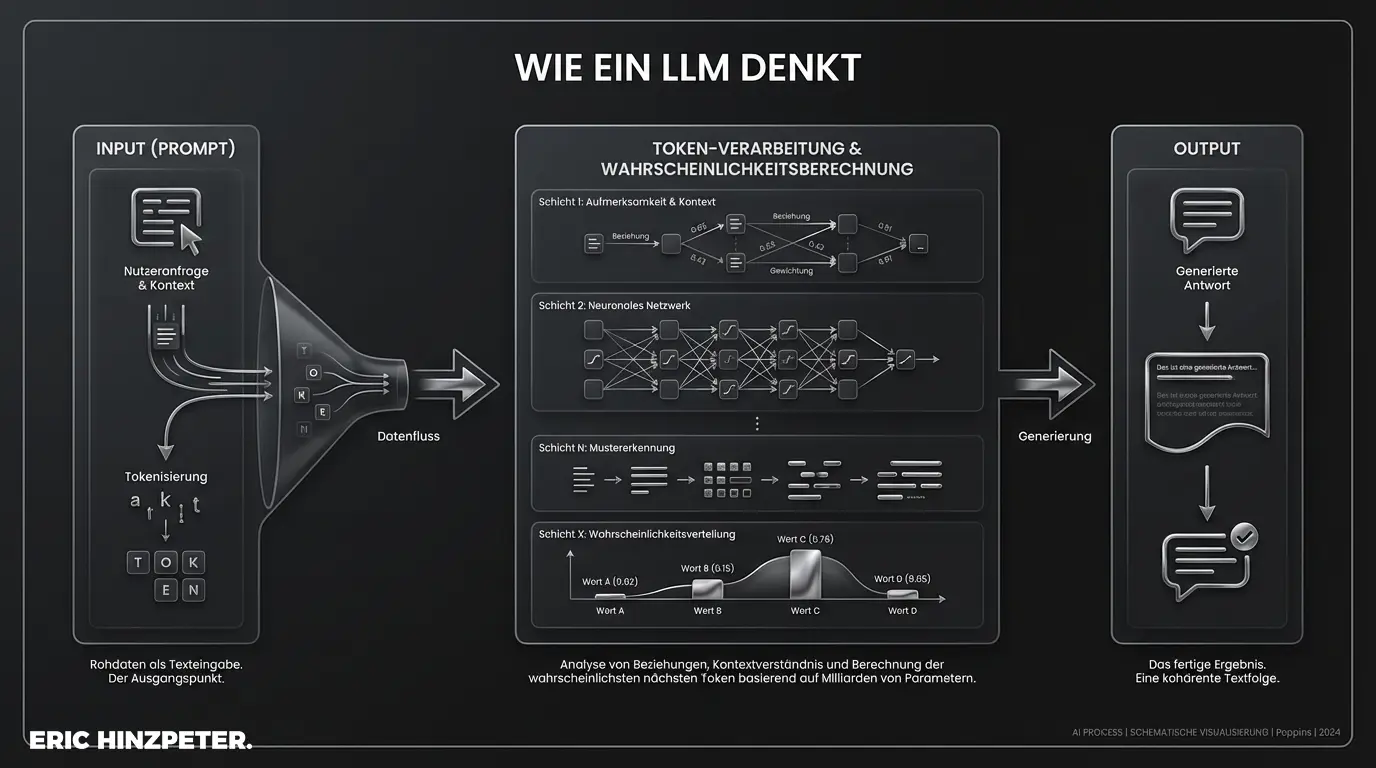
Technically, a prompt is the interface between your intent and the machine's execution. It isn't a friendly chat, it's a set of commands that steers probabilities.
Large language models (LLMs) like ChatGPT or Claude are basically probabilistic machines. They calculate, token by token, what's most likely to come next, and your prompt sets the guardrails for that calculation. The iron law of IT applies here: "Garbage in, garbage out."
Ask vaguely ("Write something about marketing") and you get a statistical average. Instruct systematically and you get real expertise. Unlike Google search, where we only dig through an index, in prompt engineering we construct new content through precise instructions.
The anatomy of a perfect prompt
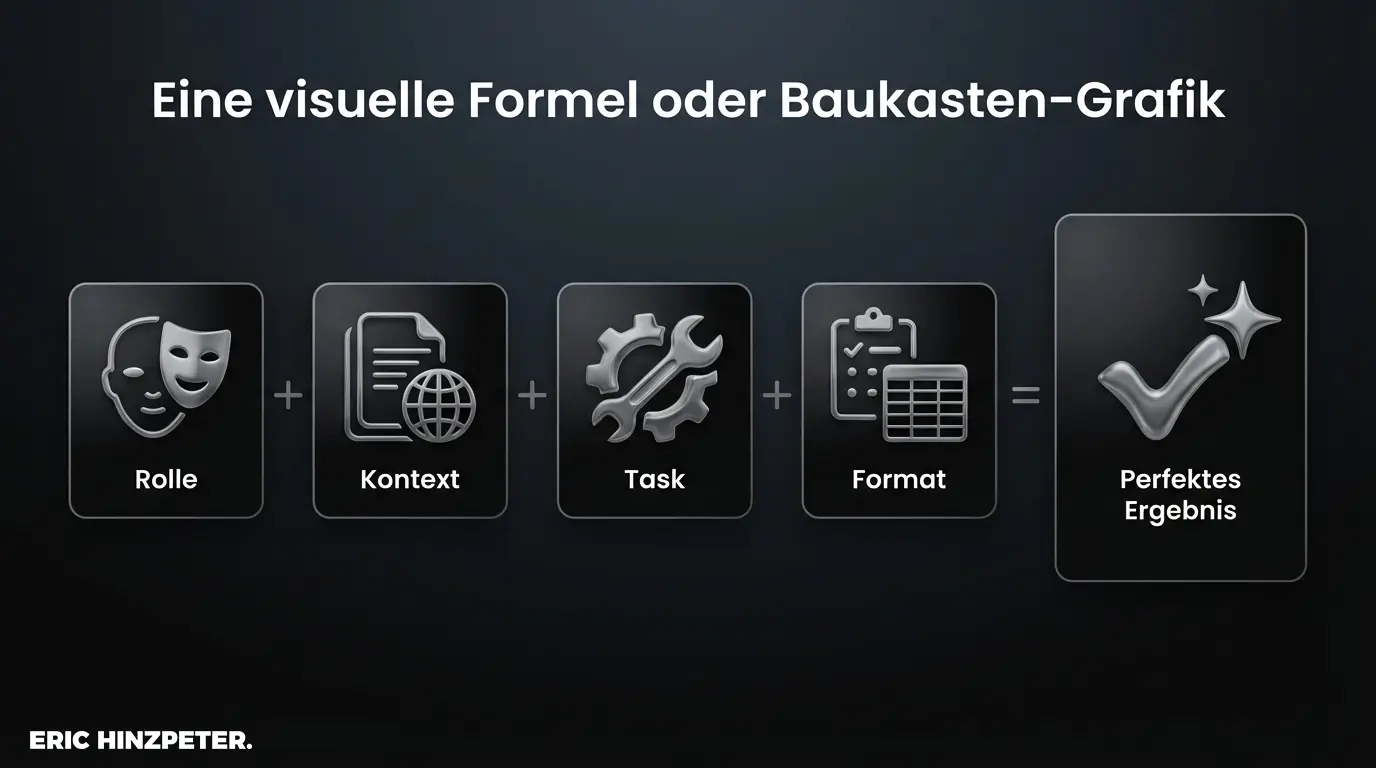
Look at the documentation from Anthropic or OpenAI and it quickly becomes clear: a good prompt isn't a one-liner. It's more like a mini program with four building blocks:
- Role (persona), meaning who the AI should be: simulate the expertise.
- Context, meaning what the AI needs to know: the constraints.
- Task, meaning what exactly should happen: use clear verbs.
- Format, meaning what the result should look like: the structure spec.
In the basics of content marketing you learn how important the audience is. With AI it's exactly the same: missing details kill any result.
Reality check: weak vs. strong
The "naked" prompt, forget it: "Write a text about B2B marketing."
The pro prompt, now we're getting somewhere: "Act as a senior marketing strategist (role). We sell SaaS logistics software to CEOs (context). Write a LinkedIn post about the risks of manual supply chains. Open with a provocative thesis (task). Short paragraphs, bullet points, no marketing fluff (format)."
Clear instructions force ChatGPT or Claude out of their boring default mode.
Why personas aren't a gimmick
Role prompting works so well because assigning a persona narrows the AI's search space massively, which makes the model focus on one specific area.
Without a persona, the AI uses the average of the entire internet. With a persona, it uses the patterns that fit that role. Use the context to set the tone, too:
- "Explain it so a 10-year-old gets it."
- "Analyze this soberly and strictly based on data."
That's the key if you want to create authentic AI content that doesn't sound like a robot.
Zero-shot vs. few-shot: the pro strategies
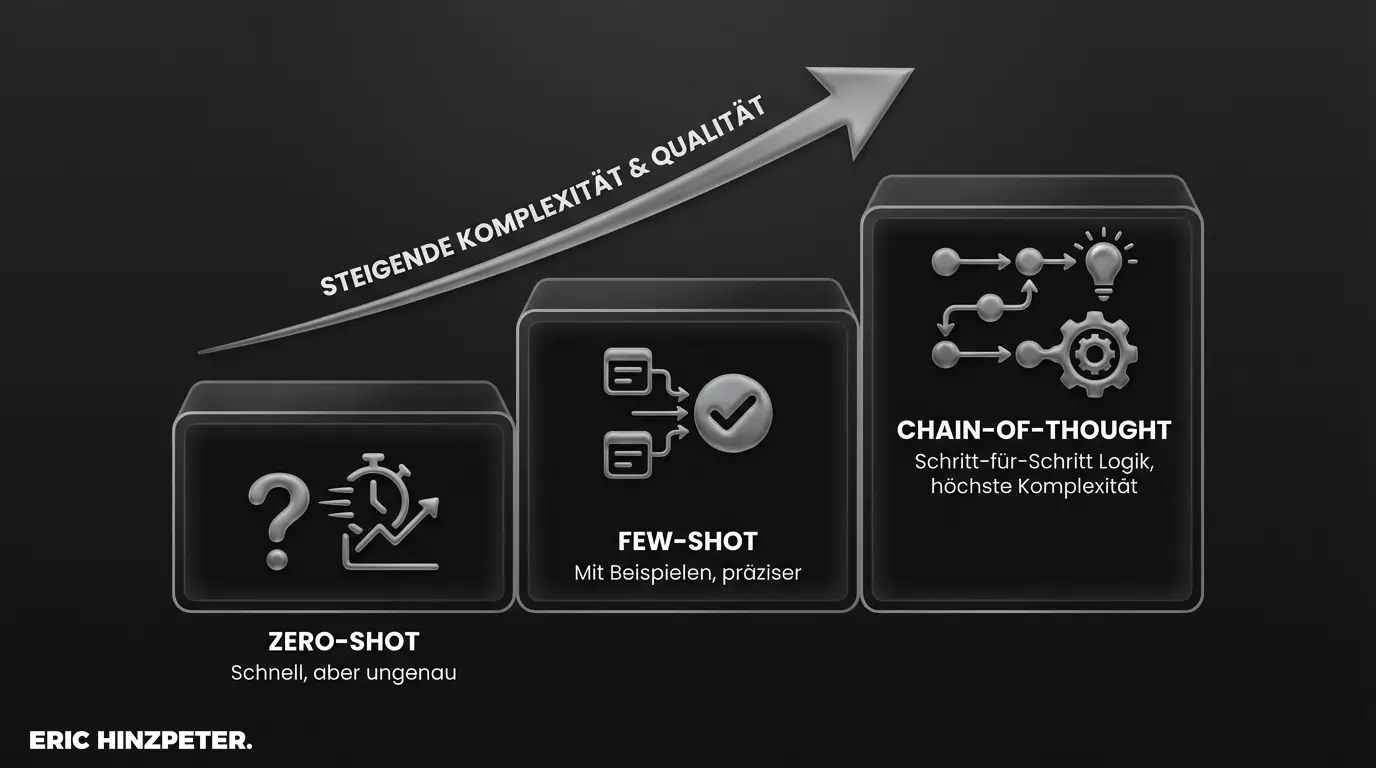
Not every task needs the same effort. There's a clear hierarchy:
1. Zero-shot prompting
With zero-shot prompting you give an instruction without examples. That works for simple knowledge ("When did the Berlin Wall fall?"), but often fails on complex formats.
2. Few-shot prompting
With few-shot prompting you include one to three examples of what the result should look like. According to OpenAI's prompt engineering guide, the model implicitly picks up the pattern from the examples, which noticeably raises the hit rate on difficult tasks. You simply show the AI the template.
3. Chain-of-thought (CoT)
For logic problems, you tell the AI explicitly: "Think step by step." That forces the model to work out intermediate steps instead of jumping straight (and often wrongly) to the result.
Pro tip: choose strategically
Use zero-shot for facts. Switch to few-shot right away if you need a particular writing style or a data format like JSON. Examples are the best insurance against bad results.
Workflow: how to build a prompt
Professional prompting is an iterative process. Pros work like this:
- Draft: Put the prompt together using the anatomy above.
- Test run: Send it.
- Check: Where does the AI drift? Is the tone too stiff? Is something missing?
- Refine: Add constraints, for example "Good text, but make it shorter and drop the filler phrases."
A technical hack: use delimiters like ### or --- to separate your instructions clearly from the data. Then the AI knows exactly what's an instruction and what's source text.
Text vs. image: two different worlds
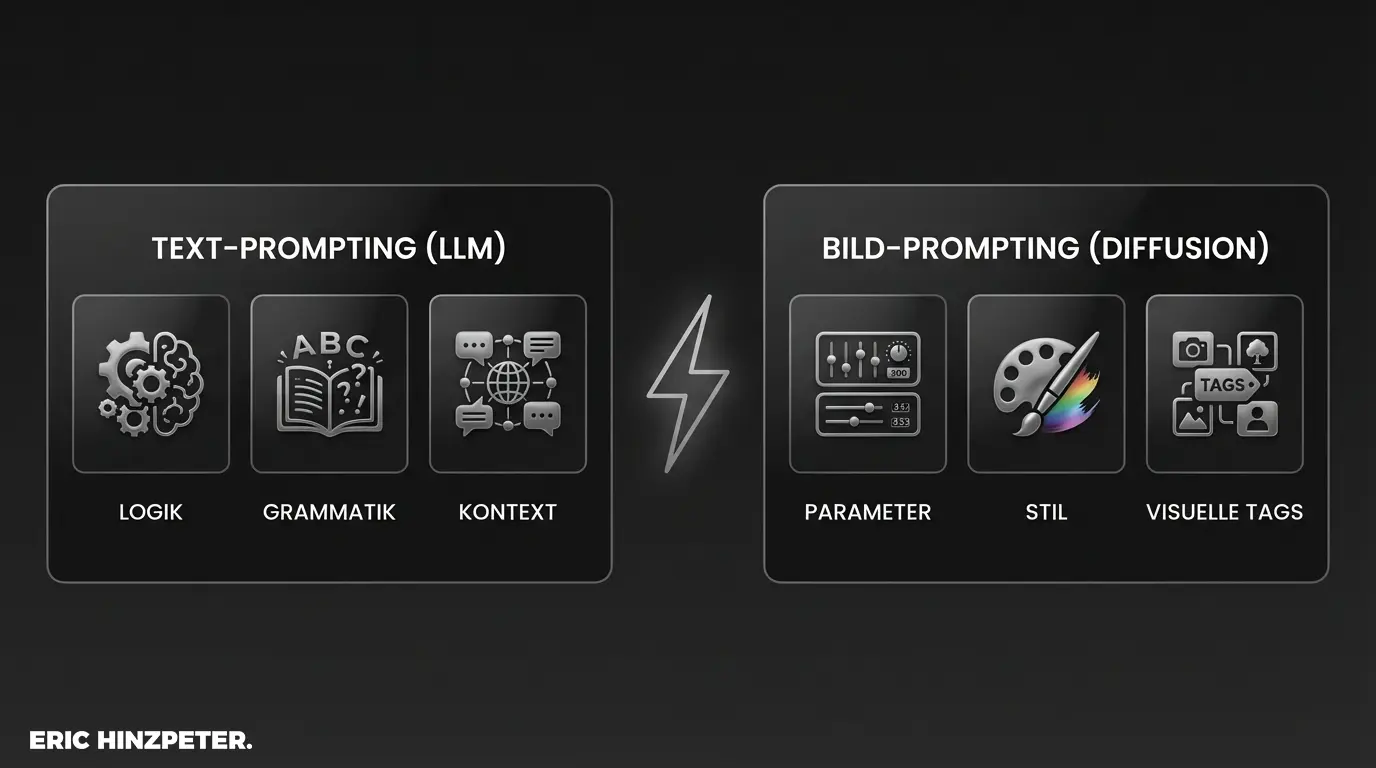
While LLMs are all about logic and grammar, image generators like Midjourney speak a different language. Visual associations count for more than complicated sentences here.
With text-to-image, keywords matter more than sentence structure:
- Parameters, meaning control commands like
--ar 16:9. - Style references like "Cinematic lighting" or "Cyberpunk style".
- No politeness: Midjourney ignores "please" and "thank you", here keywords beat grammar.
Common mistakes and how to avoid them
1. Blindly trusting hallucinations
AIs want to deliver an answer, whether it's right or not. When they don't know something, they often make it up. The fix: allow the AI to say "I don't know" when it finds nothing in the context.
2. "Don't write ..."
The AI often misreads negative prompts like "Don't write boringly" and ends up focusing on the word "boring" even more. The fix: phrase it positively, as in "Write in an engaging, energizing way."
3. Asking for confirmation
If you ask "What arguments support my plan?", you get exactly those arguments, and language models already tend to agree with whoever is asking. The fix: ask specifically for counterarguments. Why that's more than a prompting detail is covered in the post on AI sycophancy and false certainty.
Tools for prompting more efficiently
The AI tools in content marketing are developing incredibly fast. Use official resources like OpenAI's prompting guide or Anthropic's prompt engineering documentation. Those are the sources that really know the architecture.
Logic beats magic
Prompting isn't witchcraft, it takes logical thinking and precision. If you've mastered the basics of prompting, you understand what's happening in the background and can steer the machine deliberately. Theory is nice, but in the end what counts is how consistently you apply it.
FAQ
- What makes a prompt good?
- Structure. A prompt that works reliably covers four building blocks: the role the AI should take on, the context it needs to know, the task with clear verbs and the format the result should come in. A vague instruction gets you a statistical average, a precise one gets you real expertise.
- When do I use zero-shot and when few-shot prompting?
- Zero-shot is enough for simple factual knowledge, where the model knows what you mean without an example. As soon as you need a particular writing style or a fixed data format like JSON, one to three examples in the prompt pay off, because the success rate on tasks like that goes up noticeably.
- How do I stop the AI from making up facts?
- Explicitly allow the model to say "I don't know" when it finds nothing in the given context, because otherwise it would rather give a made-up answer than leave a gap. Also phrase instructions positively, "write in an engaging way" instead of "don't write boringly", because the AI often misreads negative prompts.

Eric Hinzpeter
Eric Hinzpeter, Senior B2B Content Strategist. He builds AI agents and marketing automation for production use and writes up what comes out of it here.